

PrintKey-Pro 1.05
PrintKey-Pro is a screen capture utility for Windows
Program info
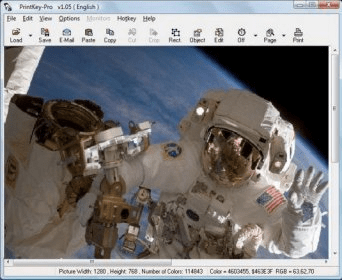
PrintKey-Pro is a screen capture utility for Windows. It allows you to take screenshots of any part of your screen and save them to a picture file. The application makes use of hotkeys to activate the few capture modes that are available. Like most other applications of this type, PrintKey-Pro can capture the entirety of the screen, a rectangular area, or an active window.
You can access the aforementioned modes by using the assigned hotkeys or by right-clicking on the application's icon on the system tray area. A menu will pop-up and you can choose the mode that fits your needs best. Whenever you activate one of the modes, your screenshot will be taken and opened in a built-in image editor, where you can touch it up a bit. Although the editor is very basic, there are about 20 edition operations that you can easily carry out, like changing resolution, modifying brightness, contrast and saturation, zooming in and rotating, etc.
This application can be additionally set to copy your screen grabs to the clipboard so you can easily paste them somewhere else. I didn't find any settings to automatically save a file without the editor showing up. That would make things a lot easier for me.
Pros
- Customizable hot keys
- Built-in editor
- Quick
Cons
- Couldn't bypass the image editor to save the files directly to the hard drive
Details
Extensions

No information available
The data will be available later.Old versions

No information available
The data will be available later.



Comments
My only request is to maybe make the printer selection function
work better. For me so far, it doesn't work at all.
If using two or more printers, say one
is a laser printer and the other does color, one must first select and
make the desired printer the "default" printer for PK 2000 to actually
print to the one you desire.
If this is an error on my part please let me know and I will appreciate it
very much. Otherwise, this inconvenience not withstanding, it is close
enough to perfect in my book to still earn 5 stars.